No user accounts required for your recipients -
Start your 7-day free trial now!

How training providers can deliver digital certificates directly to Apple Wallet and Google Wallet, and why it matters for learner engagement and credential visibility.


When a learner finishes a first aid course, a compliance training, or a professional certification, the immediate question is: where does the proof go? For years, the standard answer was a PDF attached to an email, filed away or forgotten within days. Apple Wallet and Google Wallet credentials are offering a better answer.
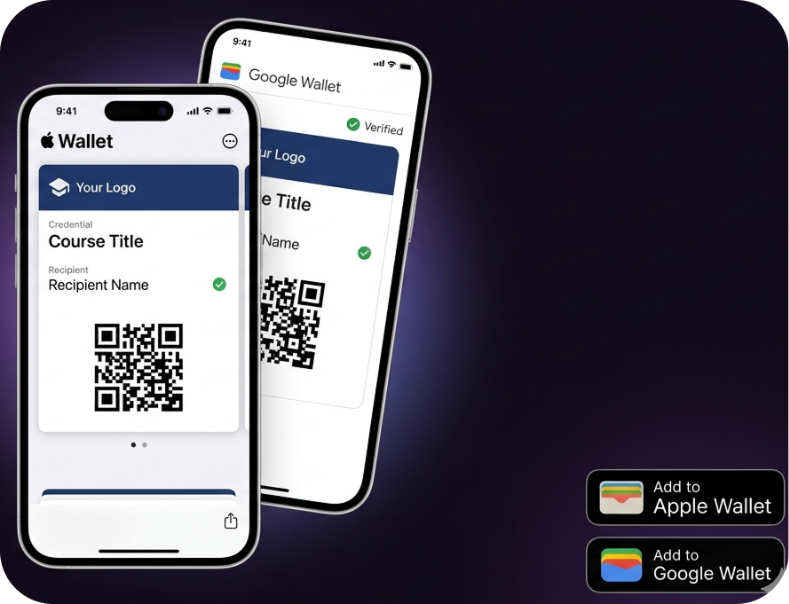
A wallet credential is a digital pass stored directly on a learner's smartphone, accessible at any time without logging into a portal or searching through old emails. It works the same way a boarding pass or loyalty card does. The learner taps to open it, and the credential is right there, including the issuing organization, the course name, the issue date, and a QR code for instant verification.
For training providers, the shift toward wallet-based credentials reflects a simple reality: learners carry their phones everywhere, and a credential that lives on the device is far more likely to be used, shared, and remembered than one buried in a folder.
Delivering wallet credentials does not require app development or direct accounts with Apple or Google. Platforms like Virtualbadge.io handle the technical infrastructure. The process for a training provider typically looks like this:
For providers running multiple sessions per week, such as corporate compliance training or first aid courses, bulk issuance via CSV is the key that makes the workflow practical. Issuing 50 or 200 credentials takes the same effort as issuing five.
A wallet pass that cannot be trusted is not worth much. The credibility of a wallet credential depends on what happens when someone scans the QR code. With Virtualbadge.io, each credential links to a hosted verification page that shows:

This means an employer, an auditor, or a regulatory body can verify a credential in seconds without contacting the training provider at all. For providers in sectors with formal compliance requirements, such as food safety, fire warden training, or emergency response, this kind of independent verification is not a nice-to-have. It is expected.
Credentials can also be configured with expiry dates, which is essential for certifications that require annual renewal.
The operational benefits of wallet credentials go beyond learner convenience. For training providers managing recurring certifications, the impact shows up in day-to-day administration:
IMN Training, a first aid training organization, moved to digital certificates to reduce the time their team spent on certificate administration. The result was a significant drop in manual overhead, read their success story.
The technical barrier to offering wallet credentials is lower than most training providers expect. No native app needs to be built, and no Apple or Google developer relationship needs to be managed directly. A credential platform handles that layer.
When evaluating platforms, the practical criteria to look for are:
If you want to see how this works in practice for your training program, book a free demo at Virtualbadge.io and explore what credential delivery can look like for your organization.
* You can find the organisation ID in the URL when you access your LinkedIn Company page as an admin.


Marketing

Apr 27, 2026

5 min
A note on how we write: we use AI tools to help with research and drafting. Every article is then reviewed, edited and fact-checked by someone on the Virtualbadge.io team before it goes live. The final word is always human.

Use Virtualbadge.io to design and send digital certificates that create trust - in less than 10 minutes.
%20(1).svg)