No user accounts required for your recipients -
Start your 7-day free trial now!

How dual-study universities combine academic and practical records on one platform and make them verifiable for employers in seconds.


Many dual-study universities still send graduation certificates as PDFs by email or by post. As soon as several study academies and dozens of partner companies are involved, this turns into a process that takes a lot of time and invites errors. Verified digital certificates for universities combine practical records, grade overviews and final transcripts in a tamper-proof format that employers can check via QR code within a few seconds.
These eight steps guide you through the introduction:
Unlike traditional universities, dual-study universities work with a double chain of records. The examination office provides the academic results, while the practical evaluations come from the partner companies. That is why it pays off to first list all document types that will be issued digitally in the future and to record the required data fields for each type:
In the next step, you clarify responsibilities. At least three parties are involved in issuance: the central examination office, the local study academies and the practice partners. Define roles for template management, data maintenance and approval. In decentralized structures, a central quality check before every bulk dispatch is also recommended.
When choosing a platform, these points matter most:
Ideally, start with a small pilot cohort before you switch over all locations.
A consistent design makes your university recognizable on every credential. In the drag-and-drop editor, you add your logo, university colors and signature to every template, without any graphic design skills. Separate templates for final transcripts, practical confirmations and attendance certificates make sense. Dynamic fields such as name, degree program or grade are filled in automatically from the recipient list during dispatch.
To get started with the import, a well-maintained CSV file with the following information is sufficient:
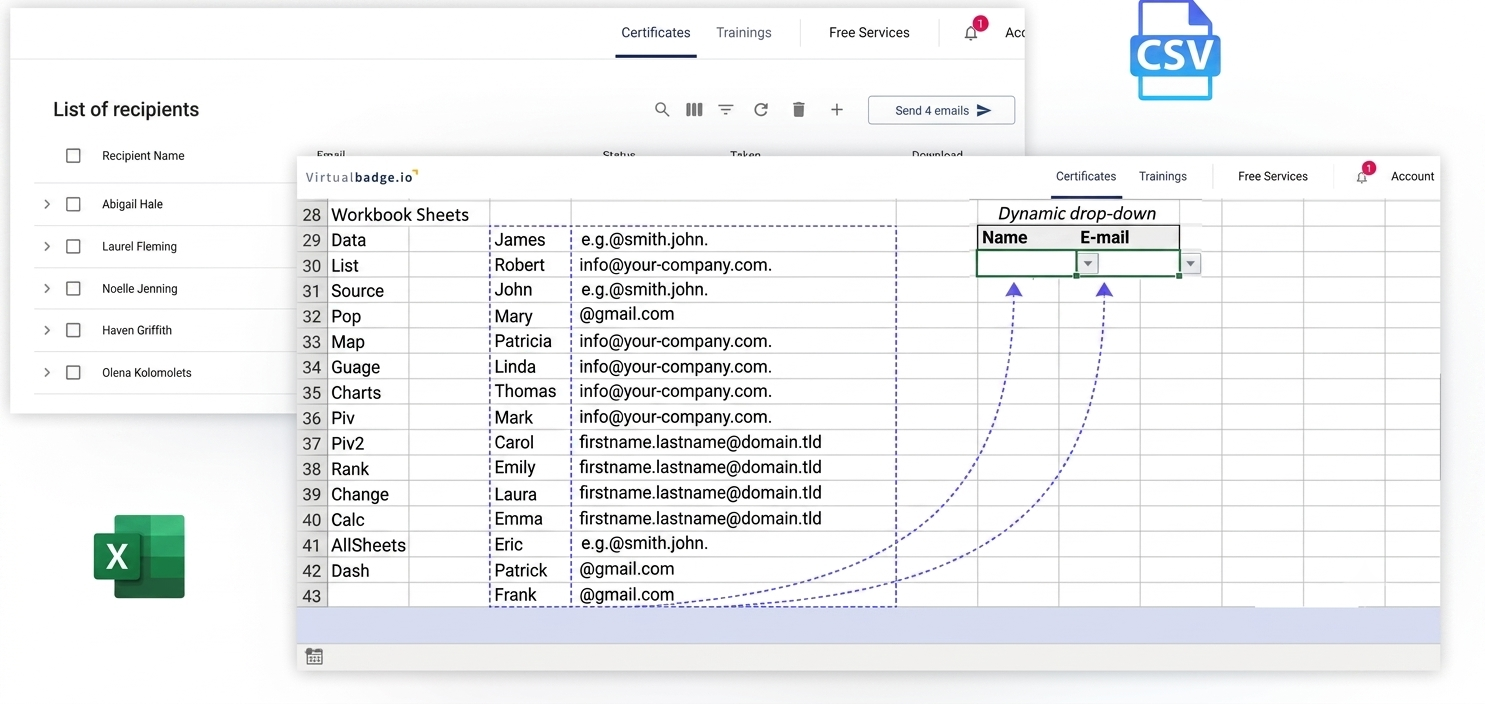
A test run with a few data records quickly shows whether all fields appear correctly. After that, you bring the partner companies on board. Through their own access, they issue practical confirmations themselves, but only based on pre-approved templates. This keeps design and data structure consistent across all locations. A short guide for the companies noticeably lowers the barrier to entry.
For more information, read: How Certificate Management Relieves Dual-Study Universities
If you connect your examination management system or learning management system via REST API, every released exam result automatically triggers the creation and dispatch of the certificate. Universities without their own development department use the Zapier integration. CSV bulk issuance remains available as a semi-automated option. Also define in advance how you handle special cases such as subsequent grade changes or revoked practical phases.
Every certificate receives a unique ID and a QR code. When an employer scans the code, the validation page immediately shows whether the credential is valid, revoked or expired.
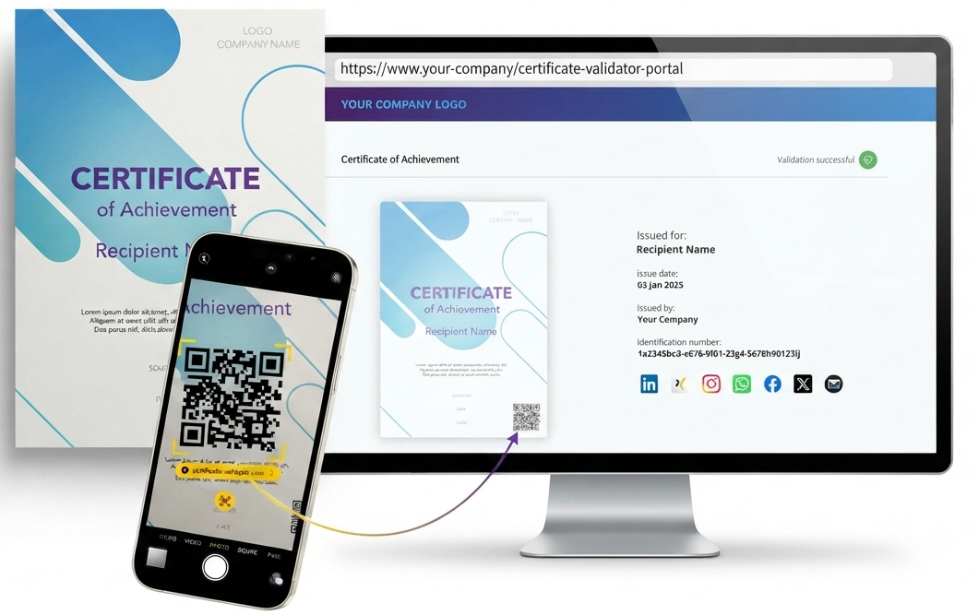
On request, this page runs as a white-label solution directly on your university domain, which further strengthens trust in the credential.
The European framework also supports this approach. With the European Digital Credentials for Learning, the EU is advancing a common standard for digital educational credentials, whose infrastructure educational institutions can use free of charge according to the Europass portal of the European Commission. Formats such as Open Badges 2.0 or 3.0 and W3C Verifiable Credentials ensure that your credentials also remain internationally compatible.
Virtualbadge.io maps the entire certificate process on one platform:
This relieves the examination office and study academies, while partner companies and employers get reliable credentials faster. The Virtualbadge.io team will be happy to show you what this can look like at your university in a free demo.
What are verified digital graduation certificates?
Electronic credentials with a unique ID and a validation page. Employers check their authenticity via QR code or link within a few seconds.
Why do dual-study universities need their own solution?
Academic and practical records come from different sources. A platform with decentralized access for partner companies maps both strands consistently.
Can students share their certificates on LinkedIn?
Yes, with one click. In the profile, the credential links to the validation page and thus increases the visibility of the students and your university.
* You can find the organisation ID in the URL when you access your LinkedIn Company page as an admin.


Marketing

Oct 21, 2026

4 min
A note on how we write: we use AI tools to help with research and drafting. Every article is then reviewed, edited and fact-checked by someone on the Virtualbadge.io team before it goes live. The final word is always human.

Use Virtualbadge.io to design and send digital certificates that create trust - in less than 10 minutes.
%20(1).svg)