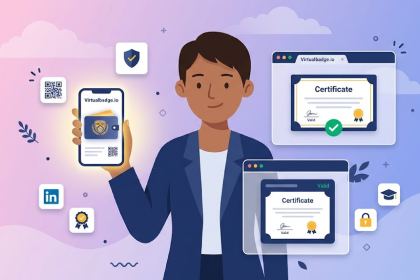
No user accounts required for your recipients -
Start your 7-day free trial now!

A practical roadmap for training providers, educators, and organizations ready to replace manual certificate processes with scalable, verifiable digital credentials.


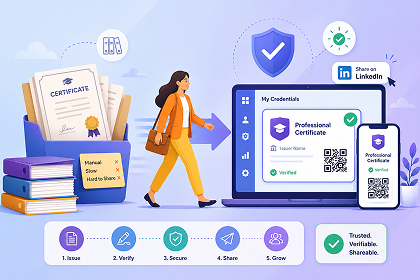
Paper certificates have long been the standard for recognizing achievements. But for organizations that issue certificates regularly, the manual process quickly becomes a bottleneck. Copy pasting recipient names into PowerPoint or Word, exporting to PDF, and sending individual emails burns time and resources. The result is often a certificate that cannot be verified, is easy to forge, and ends up in a drawer rather than being shared publicly.
Digital credentials solve these problems. They are delivered instantly via email, can be verified through a unique validation link, and are designed to be shared on platforms like LinkedIn. According to Virtualbadge.io, more than 2,000,000 certificates have already been issued by over 1,000 organizations using their platform, from universities and corporate trainers to first aid training centers and compliance programs.
The question is no longer whether to switch, but how to do it efficiently.
Before making any changes, take stock of how your organization currently handles certificates. Ask yourself: How many certificates do you issue per month or year? Who is responsible for creating, personalizing, and distributing them? How much time does each batch take? Are recipients able to verify their credentials, or do you receive manual confirmation requests?
This audit helps you identify the biggest pain points, whether it is the time spent on manual creation, the risk of typos, the lack of verification, or the missed opportunity when certificates are never shared online. Understanding these gaps makes it easier to define clear goals for your digital credential program.
For a deeper look at the limitations of traditional certificates and how digital credentials compare in building trust, the article Digital Certificates vs. Traditional Certificates: Which Builds More Trust? provides a detailed comparison.
Not every achievement requires the same type of credential. Digital certificates are best suited for formal, verifiable achievements such as course completions, compliance training, or accredited programs. Digital badges work well for skill based recognition, participation milestones, or modular learning progress. Many organizations combine both formats, badges to motivate learners during the journey, and certificates as formal proof at the end.
Decide early which programs, courses, or events will receive digital credentials, and what information each credential should include, such as recipient name, course title, completion date, and issuer details.
With a platform like Virtualbadge.io, you can either use the built-in certificate and badge designer to create templates from scratch or upload your own designs.

Key best practices include incorporating your logo, brand colors, and fonts for a consistent look, adding dynamic fields (recipient name, date, course title) that are automatically populated at issuance, and including a QR code or verification link so that anyone can confirm the credential's authenticity instantly.
Virtualbadge.io also offers free certificate templates to help you get started quickly. Keeping the design clean and professional is important, cluttered certificates reduce perceived value.
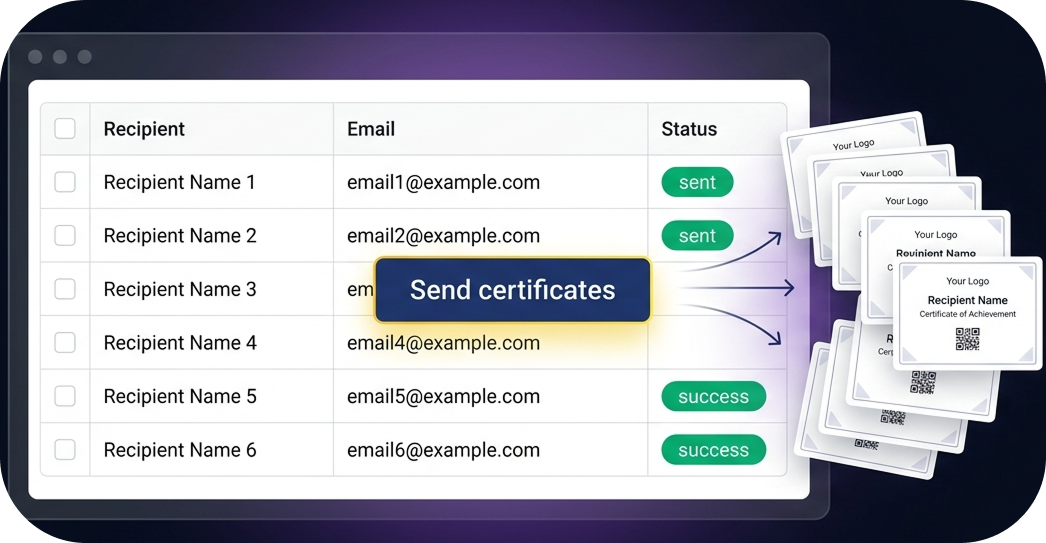
Instead of manually adding names one by one, digital credential platforms allow you to upload all recipient information at once using a simple CSV file. Virtualbadge.io also supports an API for organizations that want to connect their systems directly. Make sure your data is clean and validated before uploading, structured recipient data with correct names and email addresses prevents errors and avoids the need for re issuance.
Once your templates are ready and recipient data is uploaded, issuing certificates becomes a matter of clicking "Send All." Virtualbadge.io sends personalized certificates directly to each recipient's email address. You can track which recipients have opened their emails, claimed their certificates, or need a resend.
For organizations that want to go further, certificate issuance can be connected to LMS platforms, webinar tools (such as Zoom), or workflow automation tools (such as Zapier) to trigger certificate delivery automatically after course completion. Virtualbadge.io supports integrations with over 6,000 apps. The article How to Automate Certificate Issuance with Virtualbadge.io walks through the integration process in detail.
Every digital certificate issued through Virtualbadge.io includes a unique verification page accessible via QR code or direct URL. This means employers, institutions, or any third party can confirm a credential's validity within seconds, without contacting the issuing organization. Certificates are copy proof and protected against manipulation.
Recipients can also share their credentials directly on LinkedIn, add them to the "Licenses and Certifications" section of their profile, download them, or store them as digital wallet cards in Apple and Google Wallet. No user account is required for recipients to access their credentials.
After launching, use the analytics dashboard to monitor how recipients interact with their credentials. Virtualbadge.io provides data on email opens, certificate claims, social media shares, and verification page visits. These insights help you understand which programs generate the most visibility and where you can improve the process for future batches.

The article Credential Analytics: From Issuance to Engagement KPIs explains which metrics matter most and how to use them effectively.
Migrating from paper certificates to digital credentials does not require a complex IT project. With the right platform and a clear process, the transition can happen in days rather than months.
Book a free demo with Virtualbadge.io to see the platform in action, or start your free 7 day trial to experience the full workflow yourself.
* You can find the organisation ID in the URL when you access your LinkedIn Company page as an admin.


Marketing

May 5, 2026

5 min
A note on how we write: we use AI tools to help with research and drafting. Every article is then reviewed, edited and fact-checked by someone on the Virtualbadge.io team before it goes live. The final word is always human.

Use Virtualbadge.io to design and send digital certificates that create trust - in less than 10 minutes.
%20(1).svg)