No user accounts required for your recipients -
Start your 7-day free trial now!

A practical guide for education providers who want to replace manual PDF certificates with automated, verifiable digital certificates.


Are you still sending certificates for your online courses by hand, one email and one PDF attachment at a time? It takes hours and invites mistakes like misspelled names. Digital certificates let you automate issuance and make every credential verifiable.
With Virtualbadge.io, education providers create GDPR-compliant certificates in a few minutes and send them out automatically. Here is the process at a glance:
Certificates contain personal data such as names, email addresses, and course details, so in Europe their processing falls under the GDPR. Document which data you collect and clarify the legal basis with your data protection officer.
Your certificate provider should meet two basic conditions:
Then compare platforms on the features your courses actually need: cryptographically signed certificates, QR code verification, a REST API, and integrations with your learning management system or CRM. Verification on your own domain is a plus, since employers trust a check on the issuer’s website.
In the Virtualbadge.io certificate designer, you upload your logo, choose your brand colors, and adjust fonts with a drag-and-drop editor that needs no design skills.
Next, set up dynamic fields that are filled in automatically for every participant:
Add a QR code so that recipients and third parties can confirm the certificate’s authenticity at any time. Then export participant data from your learning management system as a CSV file and map each column to the matching template field.
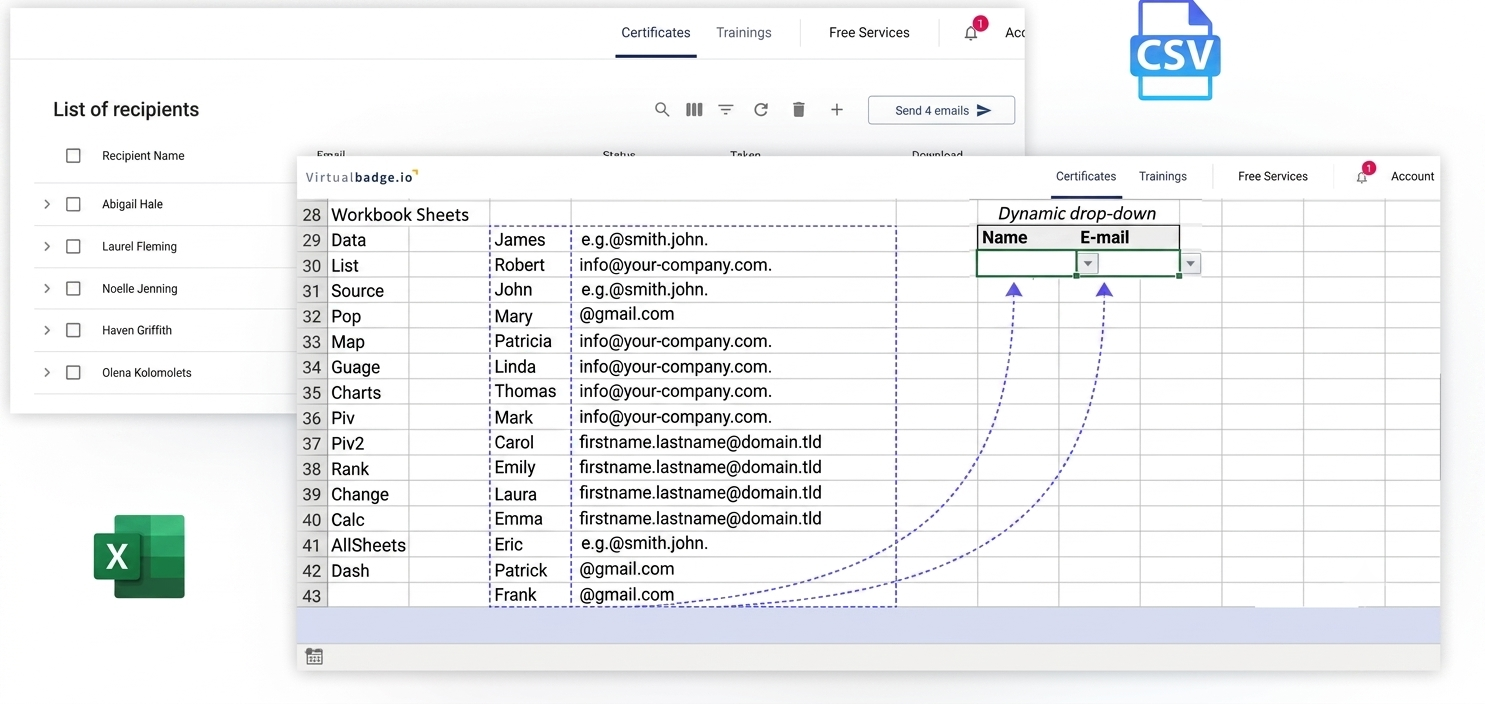
For recurring courses, a direct connection to your learning management system saves this step.
Now build the workflow that creates and sends a certificate the moment a participant finishes the course. Virtualbadge.io offers several integration options:
Try the workflow with a test account before going live.
Every certificate gets a unique ID and a QR code. When scanned, it opens a validation page showing the participant’s name, course title, issue date, and validity status.
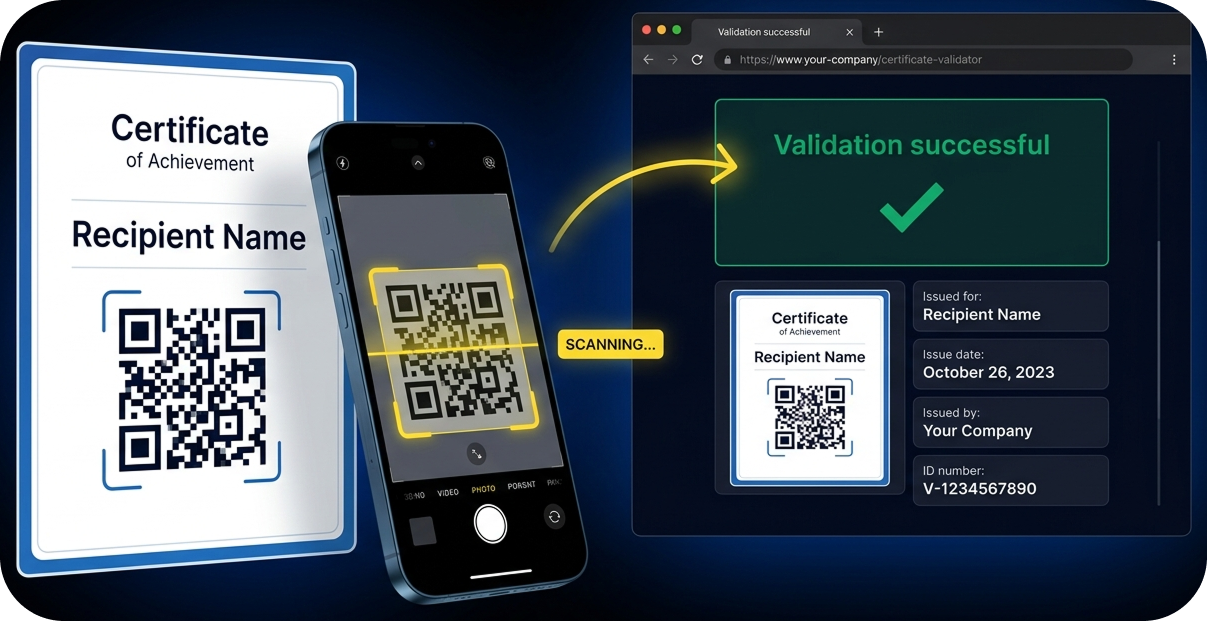
Virtualbadge.io lets you host this page on your own domain, which builds trust in your brand.
Certificates reach participants by email right after completion. Recipients need no user account and can add their certificate to their profile with one click via LinkedIn sharing.
The dashboard then shows how your certificates perform:
Verifiable certificates also motivate participants, because employers can check them with a QR code scan. The LinkedIn Workplace Learning Report 2025 puts career development at the center of workplace learning, and shareable certificates make that progress visible.
OMR Education moved its own certificate issuance to digital certificates, as described in the success story.
For more information, read: How Sharing Digital Badges Boosts Reach and Social Proof
Virtualbadge.io covers the entire certificate process, from design and automated issuance to verification on your own domain. More than 1,000 organizations already use the platform to issue tamper-proof digital certificates based on Open Badges and W3C Verifiable Credentials.
Book a free demo and see how quickly you can automate certificates for your online courses.
How long does setup take?
The basic setup takes a few minutes to hours: upload your design, configure the dynamic fields, and connect your data source. A full API integration can take longer, depending on your current setup.
How do employers check whether a certificate is genuine?
They scan the QR code or open the validation page, where they see the name, course title, issue date, and validity status.
* You can find the organisation ID in the URL when you access your LinkedIn Company page as an admin.


Marketing

Oct 12, 2026

5 min
A note on how we write: we use AI tools to help with research and drafting. Every article is then reviewed, edited and fact-checked by someone on the Virtualbadge.io team before it goes live. The final word is always human.

Use Virtualbadge.io to design and send digital certificates that create trust - in less than 10 minutes.
%20(1).svg)


