No user accounts required for your recipients -
Start your 7-day free trial now!

Learn what makes an Open Badge different from a regular image file, and how you can convert any PNG into a verifiable Open Badge in minutes.


An Open Badge is a digital credential built on an open, internationally recognized standard. It looks like a regular image, but it contains verifiable metadata embedded directly into the PNG file. That metadata describes who issued the badge, who received it, what skill or achievement it represents, when it was issued, and how anyone can verify that the badge is real.
If you already have a PNG design ready, you can convert it into a real Open Badge in minutes with the free Open Badges Creator from Virtualbadge.io. The rest of this article explains what makes an Open Badge different from a regular image and why that difference matters for education providers.
The standard was originally developed by Mozilla and is now maintained by 1EdTech. Today it is the most widely used framework for digital credentials in education, training, and professional development. Open Badges are portable, machine-readable, and recognized across platforms such as LinkedIn, learning management systems, and digital wallets.
The key features that make an Open Badge useful for education providers include:
For more information, read: Open Badges Guide: How to Use Them in E-Learning
Visually, an Open Badge PNG and a normal PNG look identical. Both are images you can download, share, and post online. The difference is invisible to the eye but critical for verification.
A regular PNG is just pixels. It carries no information about its origin, no information about the recipient, and no link back to the issuer. Anyone can right-click, save, and reuse it without anyone knowing whether it is genuine.
An Open Badge PNG carries cryptographically signed metadata baked into the file itself. When someone uploads it to an Open Badge validator, that data is read and checked against the issuer's verification record. The result is a clear yes or no answer about whether the badge is authentic.
Several credential issuers offer free Open Badge validator tools that let you drag and drop any Open Badge PNG into a browser and instantly read the metadata baked into the image. This is the easiest way to see for yourself what separates a regular PNG from a real Open Badge. You can try it right now with the free Open Badge 2.0 Validator from Virtualbadge.io, which displays the full credential data, issuer details, and verification status of any uploaded badge in seconds.

Practical differences for education providers include:
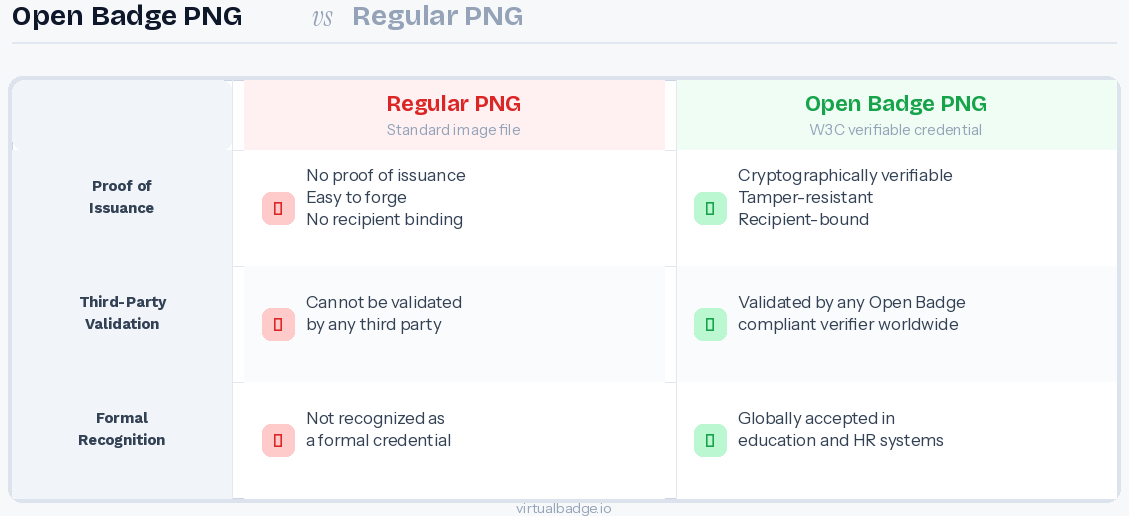
Issuing Open Badges instead of plain images turns every certificate or achievement marker into a verifiable credential. That has direct value for training providers, academies, and corporate learning teams.
When a learner shares an Open Badge on LinkedIn, hiring managers can verify it instantly. When a graduate adds it to a portfolio, employers see a credential that cannot be faked. When an auditor reviews compliance training records, the issuer history is built into the file.
The most practical benefits include:
For education providers running large training programs, Open Badges also reduce the administrative work of confirming past certifications. A single scan or upload to a validator replaces email chains and PDF lookups.
For more information, read: Open Badges 3.0: What Is the Status in 2026?
Converting a design into an Open Badge does not require technical knowledge or coding. With the free Open Badges Creator from Virtualbadge.io, any PNG can be transformed into an Open Badge in a few steps. Here is the link to our free Open Badge Generator
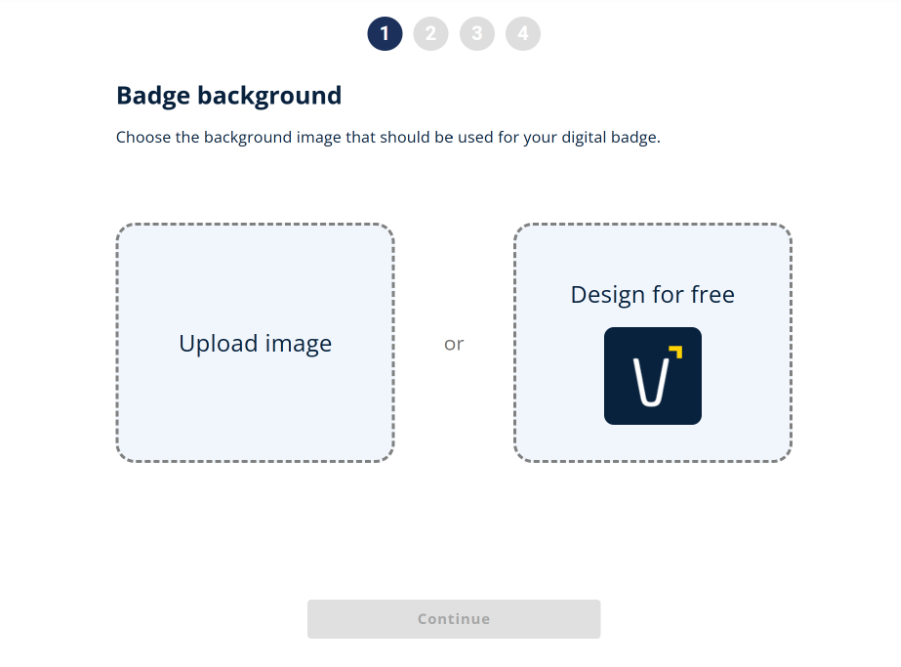
The process works like this:
The resulting file looks exactly like the original image but now contains all the verifiable information needed for it to function as a real Open Badge. Recipients can share it on LinkedIn, add it to their digital wallet, or upload it to any Open Badge validator to confirm authenticity. They can also be added to any Open Badge wallet or backpack used by your recipients.
If you have a PNG design ready, you can turn it into a verifiable Open Badge in minutes. Try the free Open Badges Creator from Virtualbadge.io to convert your image and experience how embedded metadata transforms a static graphic into a trusted credential.
Book a free demo to see how digital badges and certificates can strengthen your training brand and reduce administrative work at the same time.
* You can find the organisation ID in the URL when you access your LinkedIn Company page as an admin.


Marketing

Jun 26, 2026

6 min
A note on how we write: we use AI tools to help with research and drafting. Every article is then reviewed, edited and fact-checked by someone on the Virtualbadge.io team before it goes live. The final word is always human.

Use Virtualbadge.io to design and send digital certificates that create trust - in less than 10 minutes.
%20(1).svg)